Orchestrating coding agents with Orca and OpenSpec: a complete SDD workflow
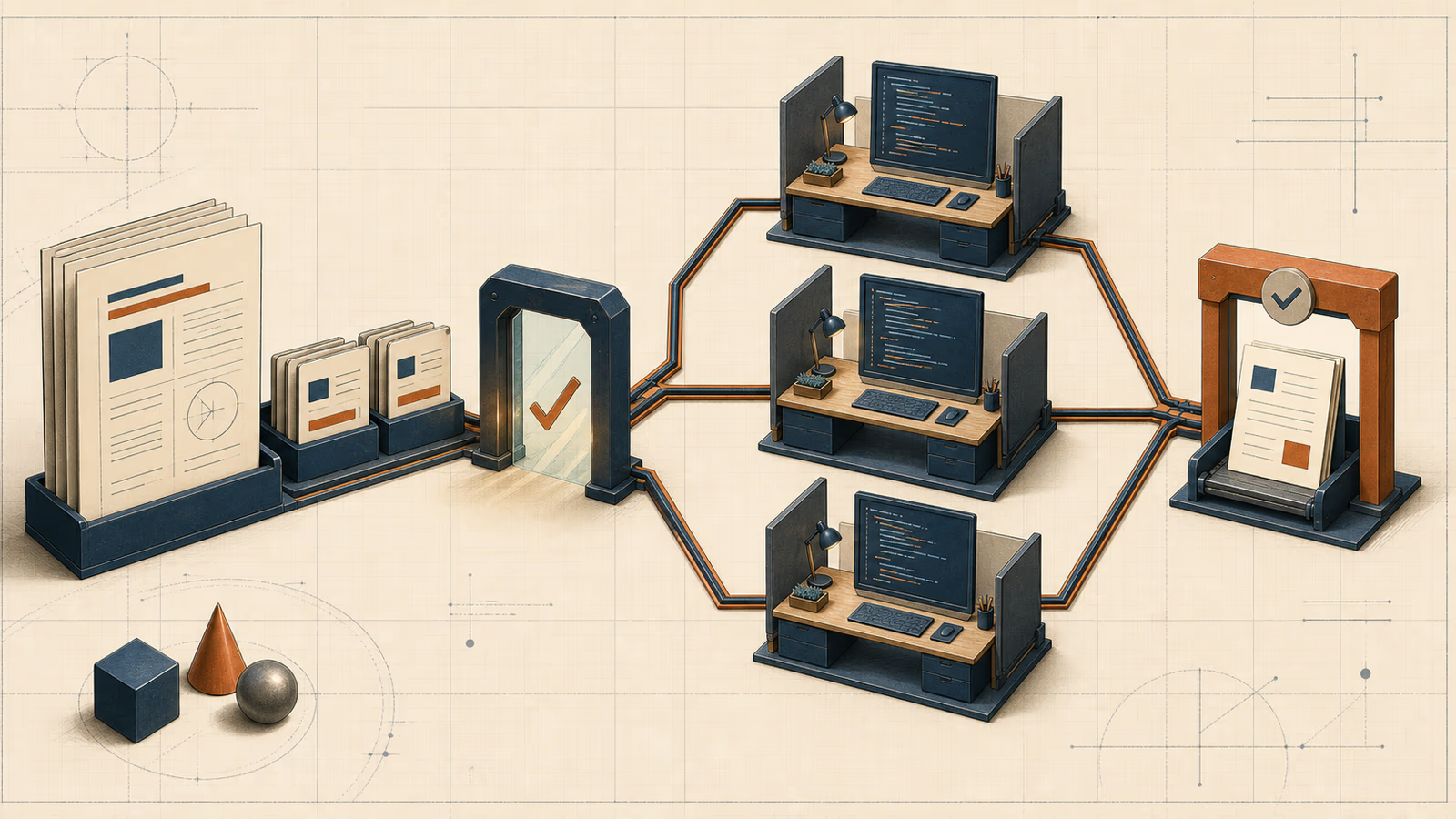
A practical tutorial for turning a specification into parallel work with OpenSpec and Orca, reviewing the results, and closing the change with traceability intact.
José Miguel Fernández · Software Engineer · 6+ years of experienceIn this article Current section: Two tools, two different responsibilities
Starting three coding agents in parallel is easy. Getting them to implement the same feature, enforce the same permissions, and return changes that can be integrated is much harder.
Writing speed is rarely the constraint. The cracks appear earlier: nobody has defined what “done” means, two tasks quietly own the same file, or an important decision exists only in a chat transcript. More agents make those cracks wider.
This tutorial walks through a spec driven development (SDD) workflow using OpenSpec and agent orchestration with Orca. The example is deliberately ordinary: a SaaS feature that exports filtered invoices to CSV, with admin and finance permissions, backend work, a UI, and tests.
This is not a production case study. I reproduced the planning and coordination steps in a temporary repository, validated the specification, and ran two independent reviews through an actual Orca Run. The methodology and its limits are documented below.
Two tools, two different responsibilities
OpenSpec and Orca fit together because they operate at different layers.
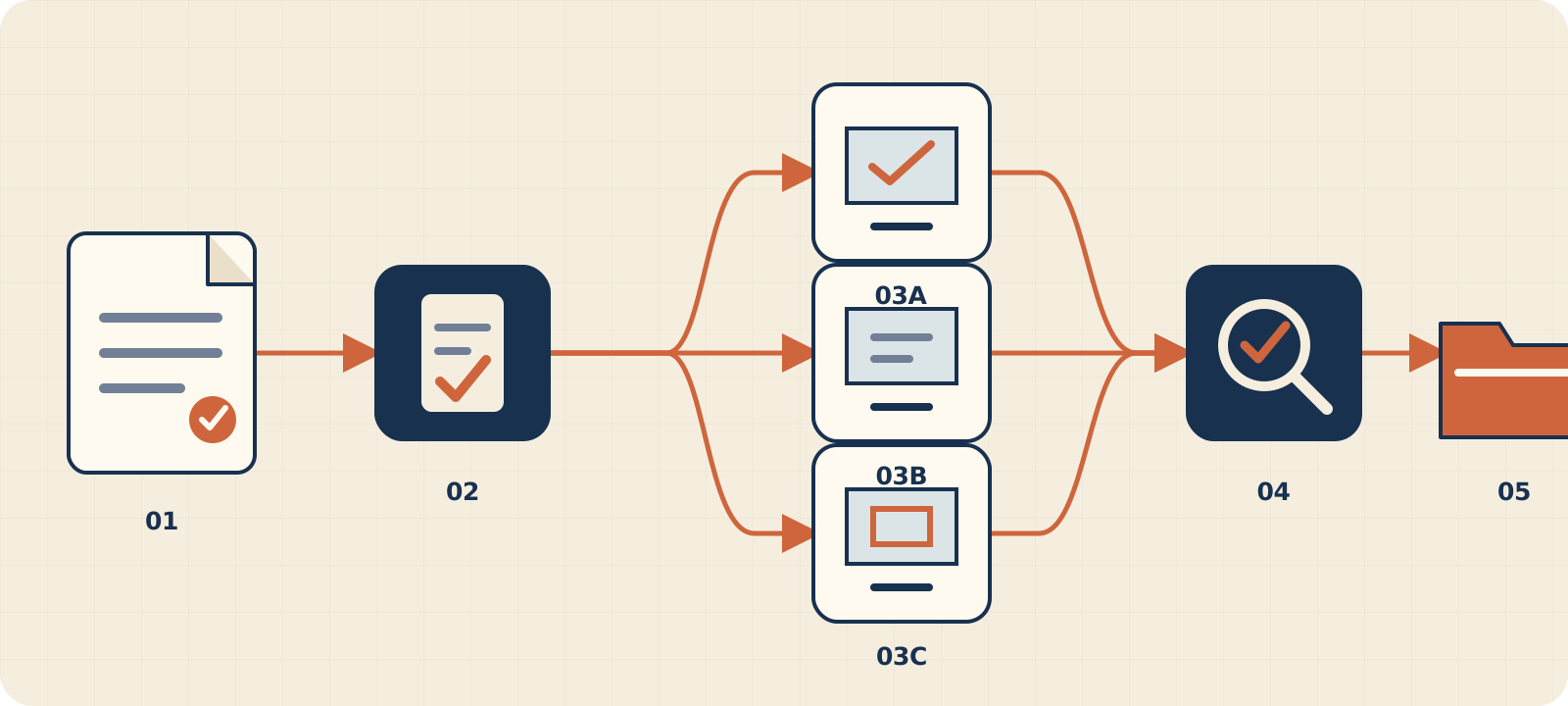
OpenSpec preserves the change contract. A proposal explains why; requirements and scenarios define behaviour; design records decisions; tasks turn that contract into verifiable work. The artifacts live in the repository and can be reviewed before implementation begins.
Orca coordinates execution. A Run groups the overall objective. Tasks represent work and dependencies. Workers receive explicit boundaries and can operate in isolated worktrees. Questions, failures, and completion events return to a coordinator for review and integration.
| Question | Primary owner |
|---|---|
| What behaviour must exist, and how can we observe it? | OpenSpec |
| Which technical decisions have been accepted for this change? | OpenSpec |
| Who owns each piece, and when is it safe to begin? | Orca |
| Where can each agent work without corrupting another checkout? | Orca |
| Does the delivered code satisfy the approved scenarios? | Both |
The feature: invoice exports without a data leak
The initial request sounds small:
Add a button that exports invoices to CSV using the current filters.
Before dispatching work, turn that sentence into observable decisions:
- only
adminandfinanceroles may export; - the server checks role and tenant even when the UI hides the action;
- CSV output uses UTF-8 and a stable column order;
- date, status, and customer filters have identical semantics in UI and API;
- values that spreadsheets may treat as formulas are neutralised;
- a completed export records actor, filters, and row count, never the whole CSV;
- the UI exposes progress and recoverable errors;
- the synchronous export has a row limit and a defined response when exceeded.
This list explains why “backend” and “frontend” are not independent tasks on day one. Both depend on the same filter, permission, response, and error contract.
1. Initialise OpenSpec
I used OpenSpec 1.9.0 for the reproducible example. In an existing repository:
openspec init --tools codex --profile core
openspec new change export-invoices
Agent integrations may add their own shortcuts. With the Codex integration in 1.9, initialisation installs skills such as $openspec-propose. I use the CLI in this guide because it makes the generated artifacts explicit and works outside a particular chat client.
OpenSpec keeps current behaviour apart from proposed changes:
openspec/
├── specs/                         # current behaviour
└── changes/
    └── export-invoices/           # proposed change
        ├── proposal.md
        ├── specs/
        │   └── invoice-export/
        │       └── spec.md
        ├── design.md
        └── tasks.md
That distinction is valuable in a brownfield repository. specs/ states what the system does now. changes/ isolates work that is still being discussed or implemented.
Inspect the change and ask for the next artifact instructions:
openspec status --change export-invoices --json
openspec instructions proposal --change export-invoices
In the lab, only proposal was ready at first. specs and design remained blocked until the proposal existed, while tasks waited for both of them. This prevents a task list from hardening before the behaviour has been agreed.
2. Write the proposal, requirements, design, and tasks
A useful proposal can be short if it answers four questions: what hurts, what changes, which capability is introduced, and which parts of the system are affected.
## Why

The finance team prepares monthly reports by copying data from the dashboard.
The process is slow and may omit active filters.

## What Changes

- Add a CSV export that uses the current invoice filters.
- Authorize only admin and finance roles.
- Audit completed exports without storing the CSV.

## Impact

- Invoice API and data query.
- Administration dashboard.
- Audit trail, tests, and operational documentation.
The capability specification turns intent into scenarios:
## ADDED Requirements

### Requirement: Authorized invoice export

The system SHALL allow an authenticated admin or finance user to export
invoices from their current tenant using the active filters.

#### Scenario: Finance user exports a filtered result

- **WHEN** a finance user requests an export with a valid date range
- **THEN** the response contains only matching invoices from their tenant
- **AND** columns follow the documented order

#### Scenario: Unauthorized role calls the endpoint directly

- **WHEN** an authenticated user without admin or finance role requests an export
- **THEN** the system rejects the request before querying invoice rows
- **AND** no export file is produced
Each requirement needs at least one observable scenario. Happy paths alone are not enough for an export endpoint that can expose financial data.
Use design.md for choices that might surprise the implementer:
- a dedicated endpoint rather than mixing paginated JSON and downloads;
- role and tenant checks before the row query;
- streaming instead of holding the entire CSV in memory;
- escaping commas, quotes, line breaks, and leading
=,+,-, or@characters; - an audit event only after completion and a known row count;
- an explicit synchronous threshold with a stable error above it.
tasks.md translates those choices into work. Do not assign agents yet:
## 1. Shared contract

- [ ] 1.1 Freeze request filters, CSV headers and value formats
- [ ] 1.2 Define authorization, error and row-limit behavior

## 2. Backend

- [ ] 2.1 Enforce tenant-scoped roles before querying rows
- [ ] 2.2 Stream and escape the CSV using the frozen contract
- [ ] 2.3 Record a privacy-safe audit event after completion

## 3. Frontend

- [ ] 3.1 Show export only to authorized roles
- [ ] 3.2 Send active filters and expose progress and recoverable errors

## 4. Verification

- [ ] 4.1 Run backend, UI, and integration tests
- [ ] 4.2 Check every acceptance scenario against the implementation
3. Validate before parallelising
Run strict validation before creating any worker:
openspec validate export-invoices --strict --jsonThe lab returned one valid change, no errors, and a complete set of planning artifacts. That proves the specification is structurally valid. It does not prove every decision is good. One reviewer still found missing value formats, time-zone semantics, tenant boundaries, download headers, and scenarios for empty exports, cancellation, and mid-stream failure.
Strict validation is a gate, not a substitute for product and security review.
Once the team approves the change, version the artifacts before creating worktrees:
git add openspec/changes/export-invoices
git commit -m "docs(spec): define invoice export change"
A new worktree starts from a commit. If the approved context only exists in uncommitted files or coordinator chat, different workers can receive different contracts.
4. Turn the specification into an Orca DAG
Inside an Orca-managed terminal, the command is orca. On Linux, outside those terminals, the same public CLI may be exposed as orca-ide. Check the installed interface before scripting command paths.
Create one Run for the whole objective:
orca orchestration run-create \
  --objective "Implement the approved invoice CSV export" \
  --json
Then create Tasks. The DAG should express technical dependencies, not reporting lines:
Shared contract
├── Backend
├── Frontend
└── Security review
        └── Integration and final verification
For example:
orca orchestration task-create \
  --task-title "Implement invoice export backend" \
  --spec "Own the export endpoint, authorization, CSV streaming, audit event and backend tests. Do not edit frontend files. Follow openspec/changes/export-invoices exactly." \
  --json
Repeat for frontend and review, retaining the returned identifiers. Workers, messages, and completion events are tied to those IDs.
A dispatchable Task should name:
- the outcome and acceptance criteria;
- files or modules owned by the worker;
- files it must not edit;
- dependencies that must already be closed;
- test commands and expected results;
- the question and completion protocol.
“Build the frontend” is too vague. The worker may change shared types, fixtures, mocks, or the API client while another agent is doing the same.
5. Start workers in isolated worktrees
Once the shared contract is frozen, backend and frontend can proceed in parallel:
orca orchestration worker-start \
  --task "$BACKEND_TASK_ID" \
  --worktree new-child \
  --name invoice-export-backend \
  --agent codex \
  --setup run \
  --json

orca orchestration worker-start \
  --task "$FRONTEND_TASK_ID" \
  --worktree new-child \
  --name invoice-export-frontend \
  --agent codex \
  --setup run \
  --json
A worktree isolates the checkout, not the design. If both workers may edit invoiceFilters.ts, the conflict has only been deferred. Explicit file ownership remains essential.
There is also no benefit in keeping every worker slot occupied. A task that needs the final endpoint or an unstable migration should wait. Useful parallelism is work on the critical path that can genuinely be separated.
6. Handle questions, failures, and completion
The coordinator should wait for meaningful events instead of polling terminal output continuously:
orca orchestration check \
  --wait \
  --types worker_done,escalation,question \
  --timeout-ms 900000 \
  --json
Answer a question with a decision the worker can apply. If that decision changes the contract, update OpenSpec and share the commit. Do not bury a durable exception inside an orchestration message.
When worker_done arrives, the coordinator still needs to:
- read the summary and inspect the diff;
- run the declared tests;
- compare the result with the scenarios;
- accept it, return it, or open corrective work;
- release the dispatch.
orca orchestration worker-release --dispatch "$DISPATCH_ID" --jsonCompletion is a delivery signal, not proof of correctness. During the lab both reviewers emitted worker_done; I read their findings before releasing each worker and acknowledging the delivery to the Run.
If a worker fails, retain the failure context. Decide whether the fault is local, the Task is ambiguous, or the specification has changed. Replaying the same prompt without fixing the cause usually produces another version of the same failure.
7. Integrate and verify against the specification
Integration may use selected commits, merges, or a dedicated integration Task. A reasonable order is:
- integrate the shared contract;
- integrate backend and run its tests;
- integrate frontend and run its tests;
- run the complete suite;
- inspect permissions, downloads, and errors manually;
- walk through every OpenSpec scenario.
The final gate for this feature should include:
[ ] admin and finance can export
[ ] other roles are rejected before data is queried
[ ] invoices never cross a tenant boundary
[ ] UI and API agree on filters and time zone
[ ] CSV headers and values are stable
[ ] commas, quotes, line breaks, and formulas are safe
[ ] empty, large, and failed exports have defined responses
[ ] audit data contains no sensitive CSV content
[ ] the UI reports progress, success, and recoverable failure
Validate again:
openspec validate export-invoices --strict --jsonWhen code and scenarios agree and tasks are marked complete, archive the change:
openspec archive export-invoices --yesArchiving does not erase the reasoning. It updates the current specifications and preserves the history of the change.
OpenSpec compared with Spec Kit and Kiro
All three support specification driven development, but they organise work differently. Repository lifecycle and team environment matter more than a feature checklist.
| Option | Primary approach | Portability | Brownfield / greenfield | Artifact structure |
|---|---|---|---|---|
| OpenSpec | Proposed changes against current specifications | Markdown and CLI, loosely coupled to an agent | Particularly clear for brownfield; also works in new projects | specs/ for current truth and changes/ for proposals |
| GitHub Spec Kit | Specify, Plan, Tasks, and Implement workflow | CLI, templates, and several agent extensions | Comfortable for starting features or products; adaptable to existing repos | Feature artifacts organised around explicit phases |
| Kiro Specs | Specifications integrated into the Kiro environment | More closely tied to the Kiro experience | Feature, Bug, and Quick Specs for new or existing projects | Requirements, design, and tasks inside product sessions |
OpenSpec is useful when the delta between current behaviour and a proposed change must stay visible. Spec Kit offers a more guided journey from project principles to implementation. Kiro reduces friction for a team already using its environment. None of them resolves ambiguous requirements on its own.
Four ways to split the work
| Model | Isolation | Coordination | Good fit | Main risk |
|---|---|---|---|---|
| Single agent | One checkout | Linear conversation | Small or tightly coupled changes | Long context and shallow verification |
| Several agents, one checkout | None | Informal agreements | Read-only reviews | Simultaneous edits and unpredictable state |
| Manual worktrees | Checkout and branch per task | Developer tracks dependencies | A few independent branches | Manual integration and status tracking |
| Supervised orchestration with Orca | Worktrees, Tasks, and dispatches | Run, DAG, messages, questions, and completion | Features with several verifiable work streams | Coordination cost when tasks are split too finely |
The lab used two read-only reviewers against the same temporary repository. There was no editing risk, and this was enough to observe the Run, Tasks, dispatches, and worker_done flow. Isolated worktrees would be the safer choice for actual backend and frontend implementation.
Limits worth accepting up front
A valid specification may still be ambiguous. Validation checks format and rules. A human still needs to challenge privacy, product assumptions, and edge cases.
Shared files reduce parallelism. Types, API contracts, fixtures, and mocks are frequent collision points. Freeze them first or give them one owner.
More workers add waiting and review. Every split requires context, coordination, and integration. Two solid work streams may beat six tiny fragments.
Unversioned context disappears. A chat decision does not automatically reach a new worktree or the maintainer reading the repository six months later.
worker_done can be a false finish. An agent may have completed its interpretation of a Task while still missing an acceptance criterion.
Coordination has a cost. Building a DAG, answering questions, and reconciling changes is worthwhile when it shortens the critical path. It is probably wasteful for a one-file edit.
Lab methodology
The check ran on 21 August 2026 with OpenSpec 1.9.0 and Orca 1.4.186 in a temporary Git repository outside this website.
I created all four artifacts for export-invoices, observed their dependencies, ran openspec validate --strict successfully, and committed the specification in the temporary repository. I then created an Orca Run with two review Tasks: requirements and security in one, design and parallelisation in the other. Two independent workers reviewed the artifacts without editing them, emitted worker_done, and were released after their responses were processed.
The lab verified planning and coordination mechanics. It did not implement the feature, benchmark productivity, test load, deploy code, or use production data. The security and design findings are review observations from a representative example, not statistical conclusions.
Implementation checklist
- The proposal explains the problem, scope, and impact.
- Every requirement has observable scenarios.
- Design and tasks define relevant permissions, errors, and limits.
-
openspec validate --strictpasses before work is dispatched. - The approved specification is versioned.
- The DAG represents real technical dependencies.
- Every worker knows its file ownership and prohibited areas.
- Questions that change the contract are recorded in OpenSpec.
- Every
worker_doneis reviewed before the worker is released. - Integration, tests, and scenarios pass in a combined checkout.
- The change is archived only when implementation and specification agree.
Frequently asked questions
What is OpenSpec?
OpenSpec is an SDD tool that stores current specifications and proposed changes as versionable files. It keeps intent, scenarios, design, and tasks next to the code without requiring one particular coding agent.
What is SDD in AI development?
Spec driven development, also called specification driven development, agrees on observable behaviour before implementation. With coding agents, the specification becomes a shared contract and reduces incompatible interpretations.
How do you orchestrate AI agents without collisions?
Freeze the contract first, then create tasks with explicit dependencies and file ownership. Use worktrees to isolate edits, route questions through a coordinator, and review every delivery against the same acceptance criteria.
Does Orca replace OpenSpec?
No. Orca coordinates actors and execution. OpenSpec preserves what must be built and why. Either can work alone, but together they cover contract and coordination.
When is parallel work a poor choice?
When the change is small, touches the same files, or depends on unresolved decisions. In those cases, one agent working from a good specification is usually faster and easier to review.
Sources and further reading
Commands and concepts in this guide come from the OpenSpec command documentation, the official Orca orchestration guide, GitHub Spec Kit, and Kiro Specs. The editorial approach follows Google guidance on helpful, people-first content, regardless of which tools help create it.
For related technical context, continue with MCP for developers, using AI in a product without hype, and idempotent APIs. A feature like this also benefits from the scope discipline in business process automation. If you need to turn an operational workflow into maintainable software, see the AI automations service.
Applying this to a real system
Do you need to review this problem in production?
I can assess the architecture, risks and next useful change without turning the solution into a larger project than necessary.