How to use AI in your product without turning it into hype
A practical guide to using AI where it actually helps product teams: support, search, automation, and decision-making.
José Miguel Fernández · Software Engineer · 6+ years of experienceIn this article Current section: Where AI usually makes sense
The problem with AI in product work is not the technology. It is the temptation to use it everywhere just because you can.
That is how teams end up with a flashy demo, a confusing roadmap, and a feature nobody really trusts.
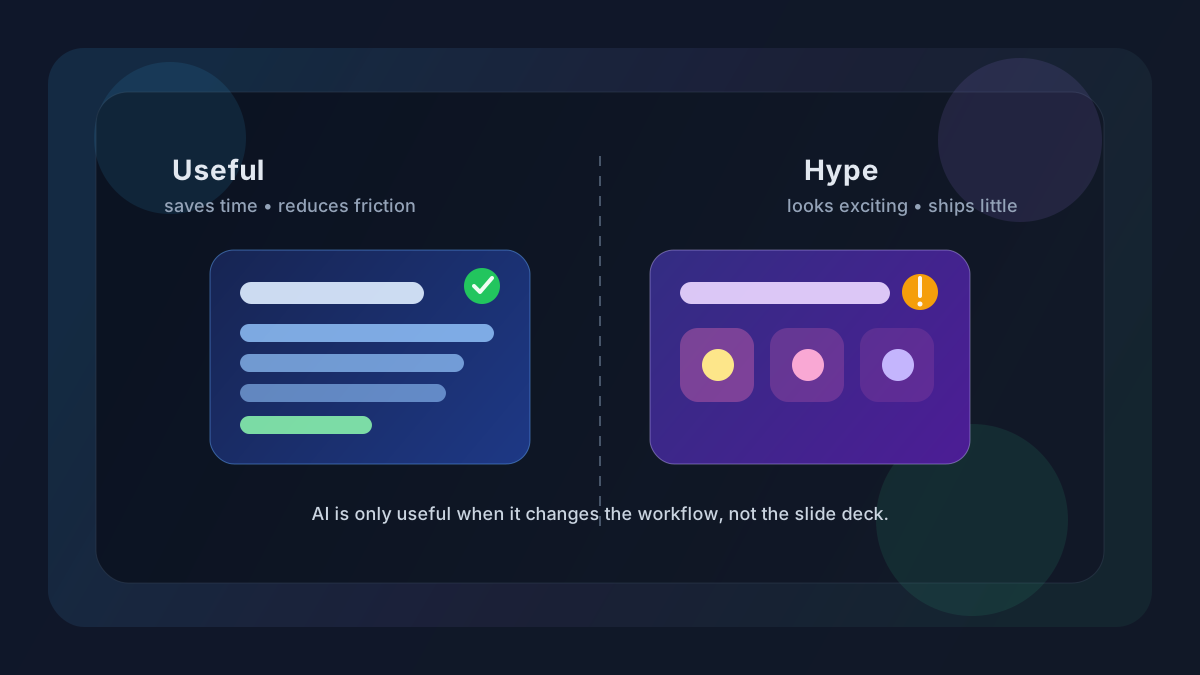
If you want AI to be useful in a real product, it needs to do one of three things: save time, reduce friction, or improve a decision that humans already make too slowly.
If the problem is mostly repeated work across systems, you may not need AI yet. Business process automation or a simpler integration may be enough.
That sounds obvious. In practice, it is where most teams go wrong.
Where AI usually makes sense
The AI features that survive daily use are rarely dramatic. They remove repetition and help people get to the next step faster.
Support and customer ops
If your team answers the same questions all day, AI can help with triage, drafts, summaries, and basic replies.
The goal is not to replace people. It is to stop wasting human time on work that is predictable.
A useful setup might:
- classify incoming tickets
- suggest reply drafts
- summarize a long thread
- detect urgency or sentiment
That alone can save a lot of time.
Search and retrieval
A lot of products have the same problem: the information exists, but nobody can find it quickly.
That is a good place for AI if your product has:
- documentation
- knowledge bases
- long internal notes
- user-generated content
- lots of support history
A decent search layer that understands intent is often more valuable than a “smart assistant” that talks a lot and finds little.
Repetitive workflows
AI also fits well when a workflow has a clear pattern and a human is doing the same boring step over and over.
Examples:
- summarising meetings
- extracting data from text
- tagging content
- generating first drafts
- sorting feedback into buckets
The useful phrase here is first draft. AI works better as a starting point than as the final answer.
When the workflow needs to move data between tools, send notifications or coordinate states, I would connect it with process automation before designing a more complex AI feature.
Decision support
This is where the feature can start to earn its place.
AI can help people make decisions faster when the input is noisy and the outcome is still reviewed by a human.
Examples:
- prioritising support cases
- grouping similar bug reports
- highlighting suspicious transactions
- spotting patterns in feedback
If the model only helps the human notice what matters sooner, that can be enough.
Where AI is a bad idea
There are also situations where AI sounds clever on paper and expensive in real life.
When the problem is not clear
“Let’s add AI” is not a product strategy. Quite often, it means the team has not defined the problem well enough.
Before building anything, ask:
- What pain are we solving?
- Who feels it?
- How often does it happen?
- What changes if we do nothing?
- How do we measure success?
If those answers are fuzzy, the feature will be fuzzy too.
When mistakes are costly
If a wrong answer creates legal, financial, medical, or operational risk, you need much tighter controls.
That does not mean AI is impossible. It means the bar is higher.
You need:
- guardrails
- human review
- clear permissions
- traceability
- a way to fail safely
A model that sounds confident is not the same as a system you can trust.
When the running cost is too high
A feature can look great in a demo and still fail as a product.
Maybe every request is expensive. Maybe the latency is annoying. Maybe the team spends too much time correcting the output.
If the operational cost is high, the feature is not a feature. It is a liability.
A simple way to decide
I like a basic filter:
- Is the task repeated often?
- Is there enough context for the model to be useful?
- Can a human review the result when needed?
- Can we measure time saved or error reduction?
- Is there a simpler solution that already works?
If the answer to most of these is no, I would not ship AI just to say the product has AI.
Start small
The best way to test AI in a product is to keep the first version tiny.
Do not build the “ultimate assistant”. Build the smallest useful thing.
A practical rollout looks more like this:
- pick one repetitive task
- add AI only to that step
- test it with a small group
- measure real usage and error rate
- keep it, fix it, or kill it
That approach is less exciting than a giant launch, but it gives you a cleaner signal.
The metric trap
A lot of AI features get judged by the wrong metric.
“People tried it” is not enough.
Better metrics are:
- time saved per task
- reduction in manual work
- fewer escalations
- better conversion or activation
- higher completion rate
- less back-and-forth in support or ops
If the feature does not move one of those numbers, it is probably decoration.
The demo trap
I see this mistake a lot.
A demo is not a product.
A demo has clean inputs, happy-path examples, and a person explaining what the model is supposed to do. A real product has messy data, incomplete prompts, edge cases, and users who will immediately find the weak point.
If the feature only works when everything is neat and obvious, it is not ready.
Final take
AI is useful when it solves a real problem with measurable value.
In practice, it tends to fit:
- repetitive work
- lots of context
- moderate risk
- human oversight when needed
It usually does not fit:
- adding a chatbot because it looks modern
- automating a risky workflow without controls
- hiding a weak product idea behind a shiny model
My rule is simple: start with the problem, then use AI only if it makes the product better in a way you can prove.
FAQ
When does AI make sense in a product?
When it saves time, reduces friction or improves a concrete decision with an observable metric.
When would you avoid AI?
When the problem is better solved with simple rules, an API integration, normal search or deterministic automation.
Should AI make final decisions?
Not in risky processes. It can prepare context or a first draft, but I would keep human review.
What would you build first?
A small test in one workflow step, with cost, quality and time saved measured before expanding it.
Decision and next step
Would you like to apply this decision to your case?
I can help you review the context, reduce the initial scope and choose a solution proportionate to the problem.