CV Studio: Building a Cleaner Way to Write a Developer CV

Notes from building CV Studio, a developer-focused CV builder with live preview, structured data and PDF export.
José Miguel Fernández · Software Engineer · 6+ years of experienceIn this article Current section: Why I Built It
CV Studio began with a specific client commission: they needed a simple CV editor with live preview and an export that preserved the final layout.
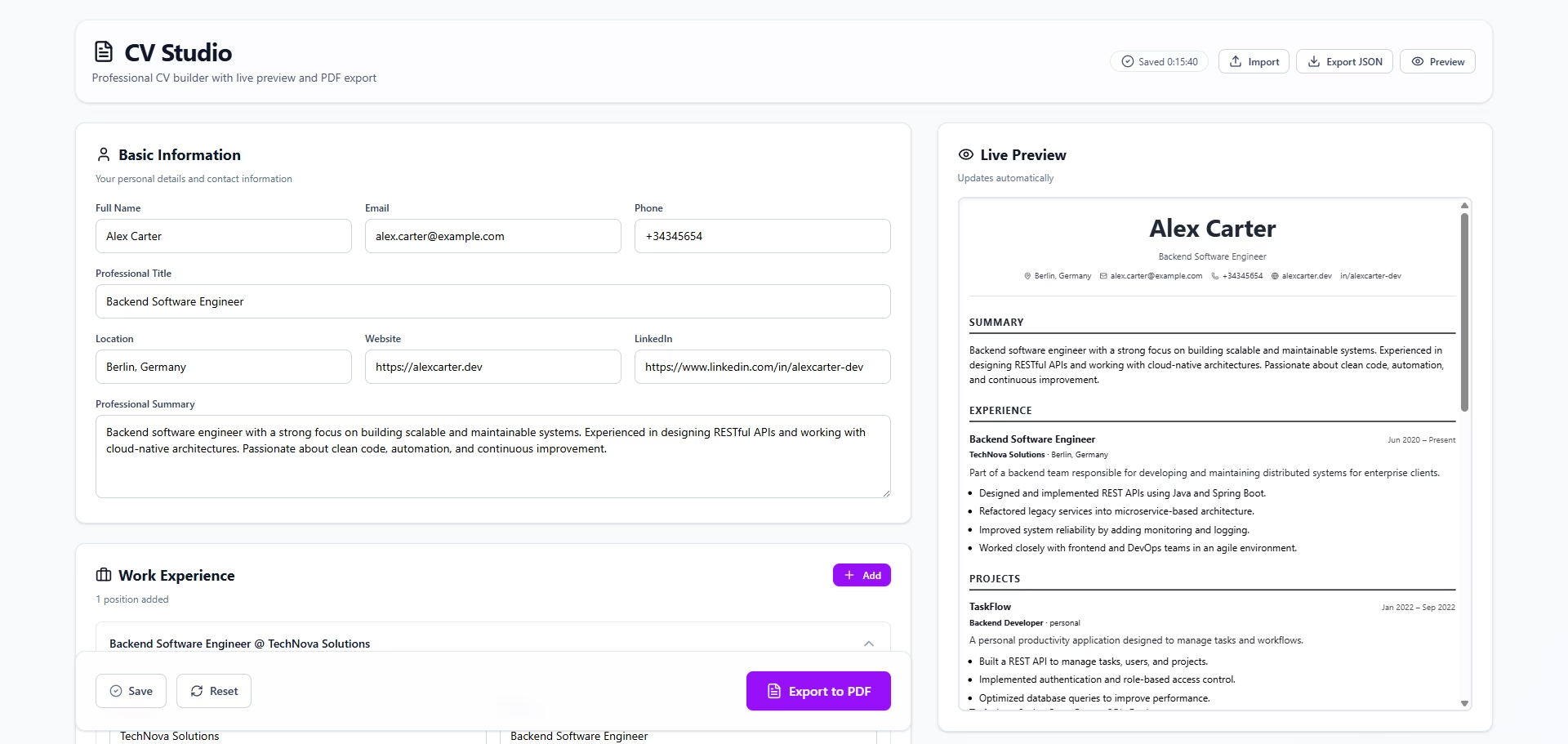
Most CV builders force users into rigid templates, add too much visual noise or produce PDFs that look different after download. The solution needed to be more direct: structured data, a live preview and consistent output.
That need became CV Studio.
The same idea applies to a professional website: the goal is not more sections, but clearer positioning and an easier next step. I cover that in what a professional website needs to get clients.
Why I Built It
CV Studio is a client project with a simple goal: let anyone edit a clear CV without losing control over its structure or final PDF.
The editing experience had to feel straightforward while still relying on a solid data model. The CV needed to be easy to change, easy to validate and reliable when exported.
CV Studio treats the CV first as structured data, and then as a polished document.
Core Principles
From the beginning, I kept a few principles in mind:
- Structured data first. Every CV is backed by a clear JSON schema.
- Real-time feedback. Changes appear instantly in the preview.
- Reliable output. PDFs are optimized for A4, printing and ATS parsing.
- Maintainable architecture. Strong typing, validation and reusable templates matter.
Key Features
Live CV Editor with Real-Time Preview
CV Studio lets users edit their CV while seeing the final result instantly. The preview is not a mockup. It represents what will be exported to PDF.
That removes guesswork and makes each edit easier to trust.
High-Quality PDF Export
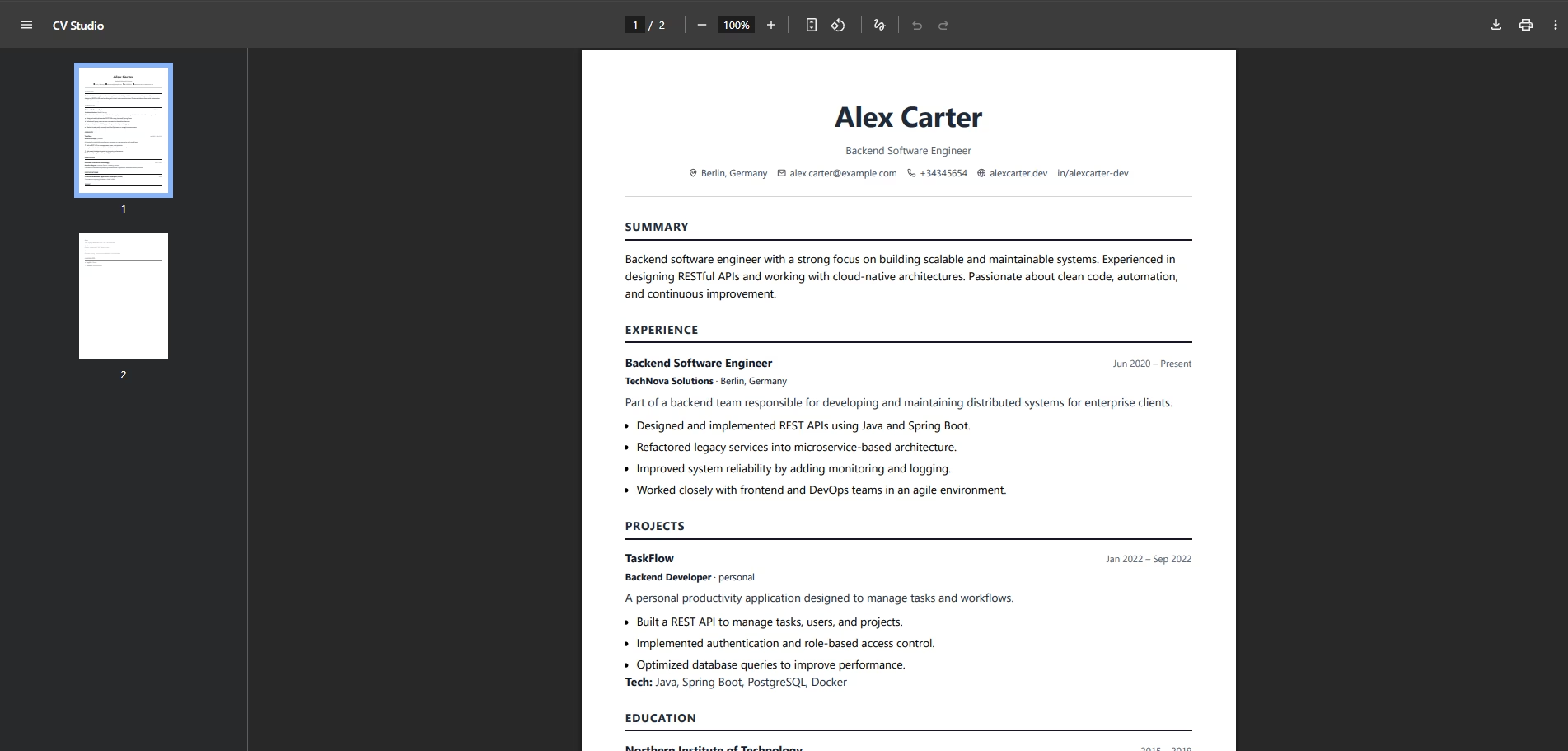
The generated PDFs are designed to stay consistent across platforms, printers and devices. The layout follows common expectations for technical hiring processes.
No broken margins. No unexpected font shifts. Just clean, reliable output.
Clean and Minimal UI
The interface is intentionally minimal. The focus is on writing, editing and checking the final result without distractions.
Strong Validation and Scalability
Schema validation and strong typing keep the CV data consistent. That makes it easier to add sections, templates or export formats later without making the app fragile.
Who Is CV Studio For?
- Software engineers and technical professionals
- Developers who value control over their data
- People looking for ATS-friendly, print-ready CVs
- Anyone who prefers clean structure over flashy templates
What’s Next?
The product can continue to grow with improvements such as:
- Multiple professional CV templates
- More customization while preserving structure
- Improved export capabilities
- Internationalization and multi-language support
Final Thoughts
CV Studio shows that a focused commission still benefits from sound product decisions: a simple interface, clear data, reliable output and an architecture that can evolve without a rewrite.
You can read the CV Studio case study or see how I approach custom software projects.
FAQ
Does CV Studio replace a portfolio?
No. A CV and a portfolio solve different moments. The CV summarizes experience; the portfolio gives context, judgment and depth.
Why use structured data for a CV?
Because it separates content from presentation. You can change design, export or language without rewriting everything.
What should a developer CV prioritize?
Clarity, real impact, relevant technologies and projects explained with context. Not just a long list of tools.
A project with real constraints
Do you have a similar problem to solve?
We can start from the workflow, constraints and outcome you need to define a verifiable first delivery.