When Should You Use Kafka, RabbitMQ or Just a Database?
A guide to choosing between Kafka, RabbitMQ and database-backed workflows for async processing, retries and event streams.
José Miguel Fernández · Software Engineer · 6+ years of experienceIn this article Current section: The real question
Messaging systems are useful, but they are easy to introduce too early.
Teams often reach for Kafka or RabbitMQ because “async” sounds scalable, enterprise, or more serious than a database table. Sometimes that is right. Other times, the best first version is a PostgreSQL table, a scheduled job, and careful transactions.
The goal is to choose the smallest tool that still gives you the reliability, scale, and visibility the workflow needs.
The real question
Before choosing Kafka, RabbitMQ, or a database-backed queue, ask:
- Do you actually need asynchronous processing, or can the request finish synchronously?
- Do you need reliable delivery after a crash or deployment?
- Do you need event history, or only current work waiting to be processed?
- Do multiple consumers need to react independently to the same fact?
- Do you need ordering per user, account, payment, or aggregate?
- Do you need retries and a dead-letter queue?
- Is this a workflow, a command, or an event streaming problem?
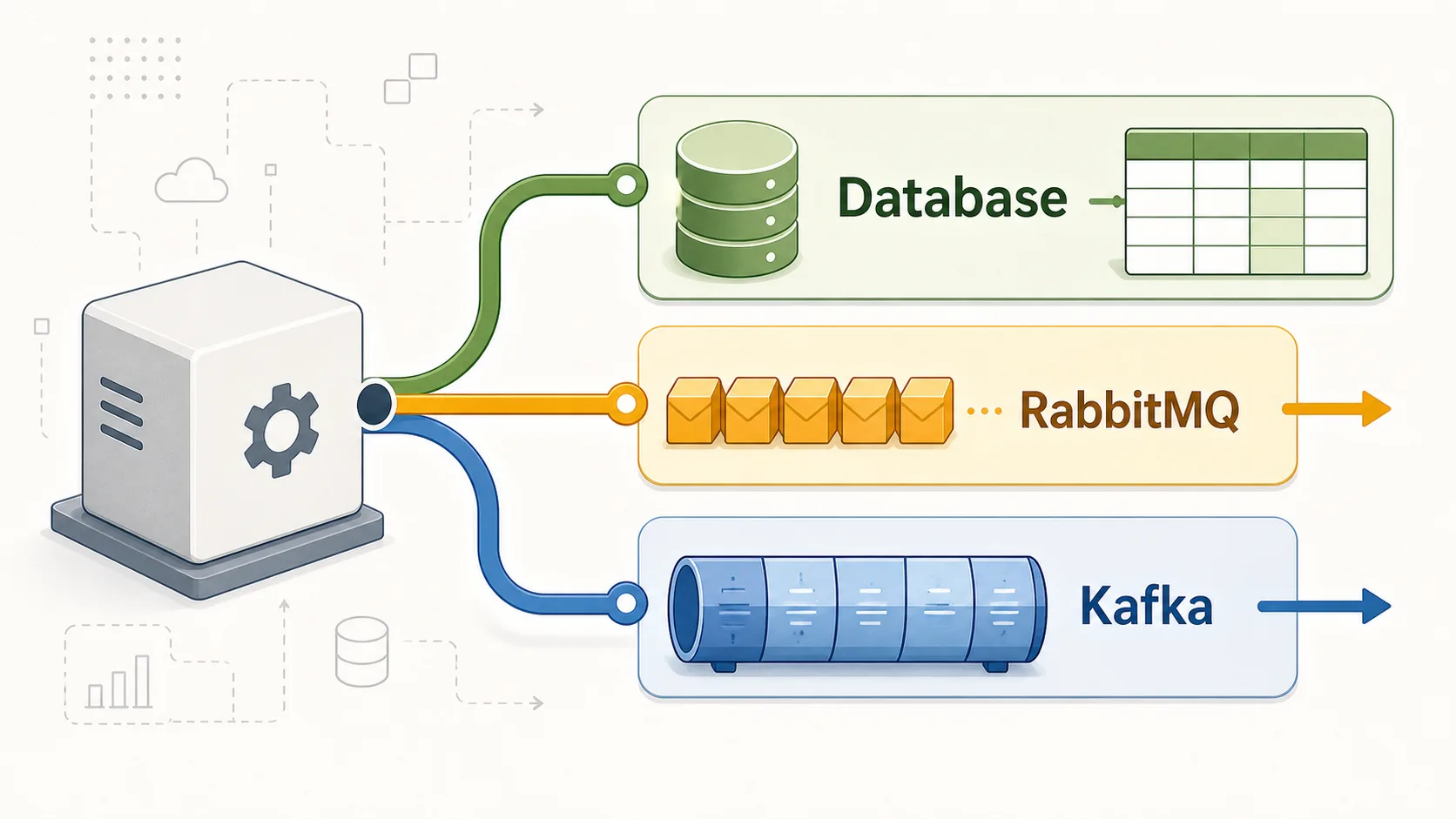
Those answers decide the tool. Kafka, RabbitMQ, and a database can all move work out of the request path, but they do not solve the same problem.
When a database is enough
A database is often enough when the workflow is small, internal, and close to its source data.
For example, a Spring Boot API creates a user and must send a welcome email. Store the user and an email_jobs row in the same transaction. A scheduled worker picks pending rows, sends the email, marks them completed, and retries failures.
That is observable and easy to debug. You can inspect the row, update a failed status, and reason about the transaction without another infrastructure component.
The same approach can work for:
- small background jobs and low-throughput workflows
- manual retries for failed payments
- work inside one bounded context
- publishing later with the transactional outbox pattern
The transactional outbox deserves special mention. If a database change and an event publication must stay consistent, write the business change and an outbox row in one transaction. A separate process publishes the outbox record to RabbitMQ, Kafka, or another integration. That avoids the bug where the database commits but the broker publish fails.
The advantages are real: fewer moving parts, easier local development, simpler transactions, and direct debugging.
The risks are real too. Polling can be inefficient. Concurrency needs row locking, leases, or SKIP LOCKED-style patterns. A shared table should not become fake service integration. If many systems need the same event stream, a table will start to feel wrong.
When to use RabbitMQ
RabbitMQ fits tasks, commands, and workflows: one part of the system asks another part to do something, but it does not want to wait in the HTTP request.
Good examples include email sending, image processing, background workers, payment workflow steps, document workflows, and failed tasks that need retries with a dead-letter queue.
RabbitMQ has a queue-first mental model. A producer sends a message. A worker consumes it, acknowledges it, or fails it. Routing can vary, but the basic idea stays understandable.
That makes RabbitMQ easy to reason about for task-based systems. You can scale workers, use acknowledgements, configure retries, and route poison messages to a dead-letter queue. If the question is “how do I reliably get this work done by a worker?”, RabbitMQ is often natural.
Its limits come from the same shape. RabbitMQ is not mainly a long-term event log. Once messages are consumed and acknowledged, they are normally gone. I would not choose it when new consumers must join later and replay six months of events.
RabbitMQ can scale, but you usually think in queues, consumers, routing, and acknowledgements, not partitions and consumer groups.
Use RabbitMQ when the work feels like reliable task processing.
When to use Kafka
Kafka fits a different kind of problem: durable event streaming.
Instead of thinking “a worker must process this task”, think “this event happened, and several independent consumers may care now or later”.
Good Kafka use cases include user activity streams, audit history, analytics pipelines, high-throughput ingestion, integration between many services, and systems where consumers may join later and replay past events.
Kafka stores events in an append-only log. Consumers read at their own pace. Different consumer groups can process the same topic independently. One group might update search, another feed analytics, and another trigger fraud checks.
Replayability is the big difference. If you fix a bug in a consumer, you may reset its offset and reprocess events. A new service can read history, not only future messages.
Kafka is powerful, but not free. Topic design matters. Partitioning affects ordering and scaling. Schema evolution needs discipline. Operationally, Kafka asks more from the team than a queue table or a small RabbitMQ setup.
Retries and delayed processing can be less straightforward than with RabbitMQ. Kafka can handle failure, but “retry this job in 10 minutes, then send it to a dead-letter queue” often feels more natural in RabbitMQ.
Use Kafka when event history and independent consumers are central to the design.
Kafka vs RabbitMQ vs database
| Question | Database table / outbox | RabbitMQ | Kafka |
|---|---|---|---|
| Best for | Small internal workflows | Reliable task queues | Event streaming |
| Message history | Stored only if you model it | Not the main feature | Core feature |
| Replayability | Manual or custom | Limited | Strong |
| Complexity | Low | Medium | High |
| Throughput | Good for modest loads | Good for queues | Very high |
| Retry handling | Custom but simple | Strong fit | Possible, more design needed |
| Ordering | Transactional, row-based | Queue-dependent | Partition-based |
| Operational burden | Low | Medium | Higher |
| Typical use case | Welcome email job | Image processing worker | User activity stream |
Common mistakes
- Using Kafka as a simple job queue. It can move work, but it is not always clear for retries, delays, and worker commands.
- Using RabbitMQ when a database transaction would be enough. If the work is inside one service and throughput is low, a table may be easier.
- Sharing database tables between services as fake integration. That is usually a boundary problem.
- Adding messaging before understanding failure modes.
- Ignoring idempotency, observability, and the fact that async often moves complexity instead of removing it.
Practical decision checklist
- Start with the database if the workflow is small, internal, low throughput, and close to one transaction.
- Use a transactional outbox when database changes and event publishing must be consistent.
- Use RabbitMQ if you need reliable task processing, workers, retries, acknowledgements, and a dead-letter queue.
- Use Kafka if you need an event log, replayability, high throughput, and multiple independent consumer groups.
- Do not introduce a broker unless the team can monitor, operate, and debug it.
- Make consumers idempotent. Messages can be delivered twice, retried, or processed after a crash.
- Add metrics, logs, tracing, and alerting before production asks for them.
Final takeaway
The best architecture is not the one with the most advanced tool. It is the one with the fewest moving parts that still satisfies reliability, scalability, and product needs.
If a database table solves the workflow clearly, use it. If you need reliable workers, RabbitMQ is still a solid choice. If you need a durable event log and independent consumers, Kafka earns its place.
For related trade-offs, see idempotent APIs that survive retries, Spring Boot in production, and API integrations.
FAQ
Should I use Kafka for background jobs?
Usually not first. RabbitMQ or a database-backed queue is often easier for retries, delays, and worker workflows.
Is RabbitMQ obsolete because Kafka exists?
No. RabbitMQ is still useful for reliable task queues, routing, acknowledgements, and dead-letter handling.
Can PostgreSQL be used as a queue?
Yes, for modest internal workflows. Use locking, retry fields, and cleanup. Avoid turning it into shared integration between services.
When should I use the transactional outbox pattern?
Use it when a database write and a message publication must be consistent, especially in Spring Boot services.
What is the biggest production risk with messaging?
Assuming delivery happens exactly once. Design idempotent consumers, visible retries, dead-letter handling, and enough observability.
Applying this to a real system
Do you need to review this problem in production?
I can assess the architecture, risks and next useful change without turning the solution into a larger project than necessary.