CV Studio: Building a Modern, Developer-Focused CV Builder
An inside look at CV Studio, a CV builder designed for developers, featuring live preview, structured data, and professional PDF export.
In today’s competitive tech market, a résumé is more than a document — it’s a product. While preparing my own CV for different roles and reviewing countless tools, I noticed a recurring problem: most CV builders either lock you into rigid templates or generate PDFs that don’t truly reflect a clean, professional, developer-friendly profile.
That gap is what led me to create CV Studio.
👉 Project repository:
https://github.com/jomiferse/cv-studio
Why CV Studio?
CV Studio is a personal project designed with a clear goal:
to give developers full control over their CV without sacrificing design quality or PDF output.
Many existing tools focus almost entirely on visual editing while hiding the underlying structure. Others generate PDFs that may look acceptable on screen but fail when printed, parsed by ATS systems, or shared in professional hiring processes.
CV Studio takes a different approach by treating the CV as structured data first, and a polished document second.
Core Principles
From the very beginning, the project was guided by a few clear principles:
- Structured data first — every CV is backed by a well-defined JSON schema.
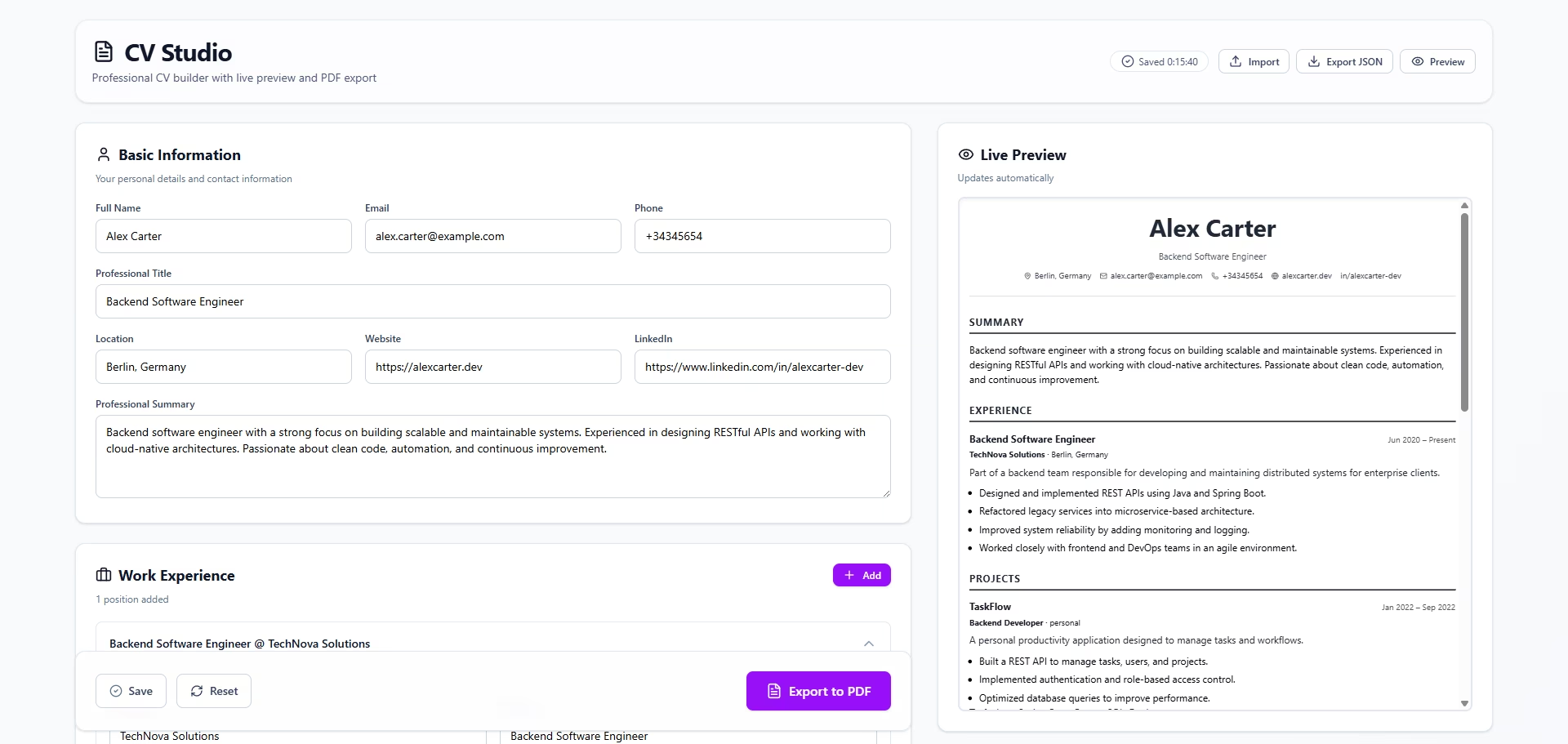
- Real-time feedback — changes are reflected instantly through a live preview.
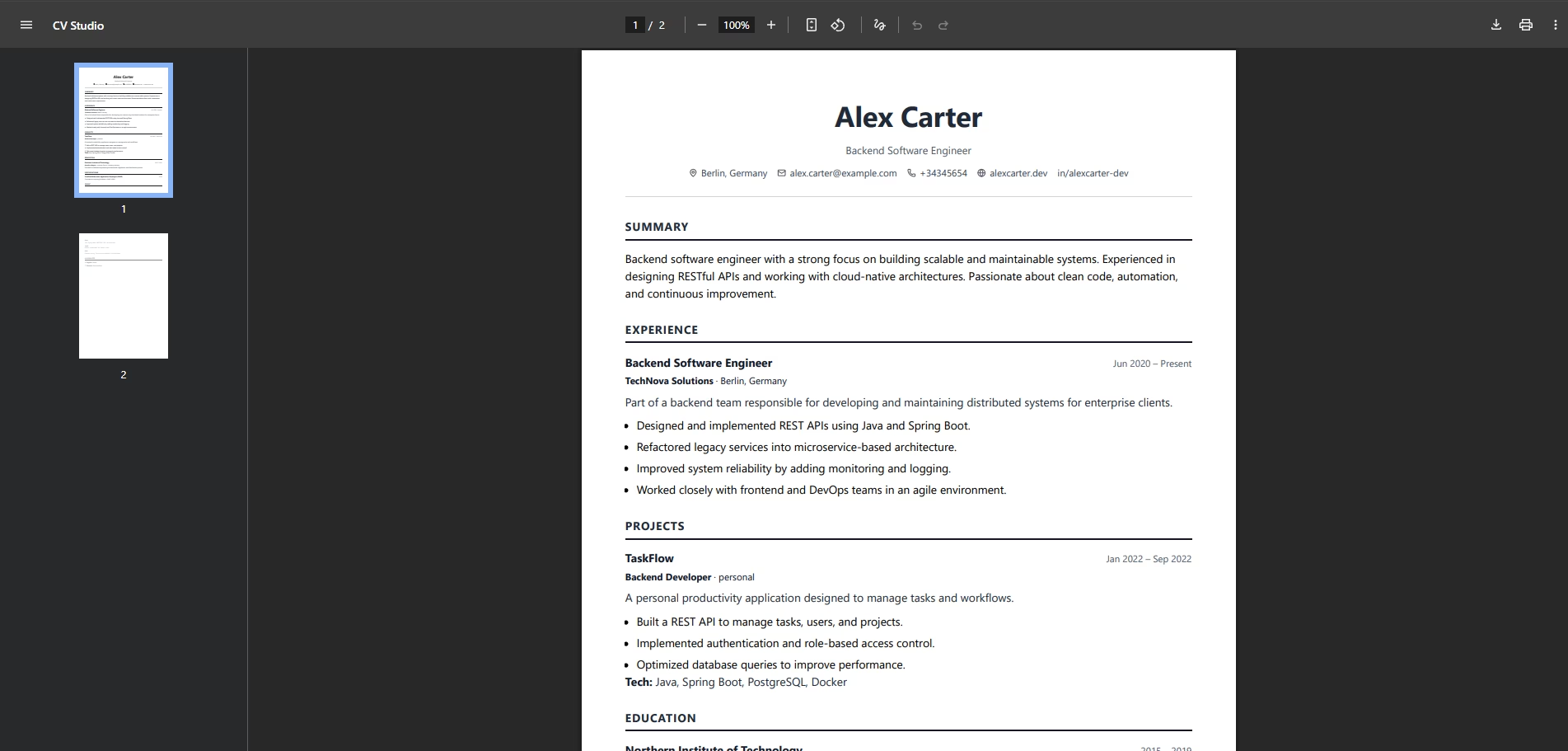
- Professional output — PDFs are optimized for A4 format, printing, and ATS compatibility.
- Developer-oriented architecture — strong typing, validation, and maintainability.
Key Features
Live CV Editor with Real-Time Preview
CV Studio allows users to edit their CV while seeing the final result instantly. The preview is not a mockup — it represents exactly what will be exported to PDF.
This approach removes guesswork and provides confidence in the final output.
High-Quality PDF Export
The generated PDFs are designed to remain consistent across platforms, printers, and devices. Layouts follow professional standards commonly expected in technical hiring processes.
No broken margins, no unexpected font shifts — just clean, reliable output.
Clean and Minimal UI
The interface is intentionally minimal. The focus is on clarity and usability, avoiding unnecessary distractions and visual noise. The goal is to make writing and refining a CV feel straightforward and professional.
Strong Validation and Scalability
Using schema validation and strong typing ensures that CV data remains consistent and extensible. This makes it easy to add new sections, templates, or export formats over time without compromising stability.
Who Is CV Studio For?
- Software engineers and technical professionals
- Developers who value control over their data
- Users looking for ATS-friendly, print-ready CVs
- Anyone who prefers clean design over flashy templates
What’s Next?
CV Studio is an evolving project. Planned improvements include:
- Multiple professional CV templates
- Enhanced customization options while preserving structure
- Improved export capabilities
- Internationalization and multi-language support
Final Thoughts
CV Studio is not just a CV builder — it’s a reflection of how developers think about products: structured, scalable, and intentionally designed. It’s built to grow and adapt alongside the professionals who use it.
If you’d like to explore the project or review the code, you can do so here:
👉 CV Studio on GitHub
More updates and technical articles will follow as the project evolves 🚀